collection message Optimization
Macro Background
The current structure of the payment reminder message bar on the Didi App homepage is disorganized, often causing users to miss payment reminders in a timely manner, leading to payment failures and impacting subsequent ride-hailing processes. Therefore, a comprehensive optimization of the payment reminder message bar is needed to improve user awareness and processing efficiency of payment reminder information.
Current Situation
Currently, the message bars on the SA homepage and the travel homepage integrate multiple communication methods, including location authorization, payment reminders, and order status notifications. The SA homepage has 33 message types, while the travel homepage has only 13, resulting in confusing location information and a poor user experience.
In multiple payment reminder scenarios such as PDP, highway tolls, and cleaning fees, if users don't handle the reminder messages, they will be blocked from placing orders when they enter the bubble page. However, the reminder messages in the message bars are not prominently displayed and are consistent with order notifications, making them difficult for users to perceive.
User Pain Points
The collection notices on the homepage are difficult for passengers to notice in a timely manner. Users are often blocked by the system when they place orders, resulting in a poor user experience.
project background
Inconsistent Design: The message bar design styles on the SA homepage and the travel homepage are inconsistent, and the overall visual style is outdated.
Inconsistent Fee Processing Interaction: Payment paths and interaction methods differ across different collection scenarios, leading to high comprehension costs for users.
User Experience Issues (Bugs):
a. Duplicate Display of Collection Notices for Withdrawal Fees: When a collection fee is generated, two scrolling collection notice messages appear on the homepage.b. Abnormal Redirection of Collection Notices (Android): Clicking on a collection notice first reopens the travel homepage before redirecting to the payment page, resulting in a redundant process.
c. Unclickable Merged Payment Notice: After paying for toll fees, PDP, or other in-transaction scenarios, a merged payment notice appears on the homepage, but this notice is unclickable, and payment cannot be completed through other paths.
Design Goals
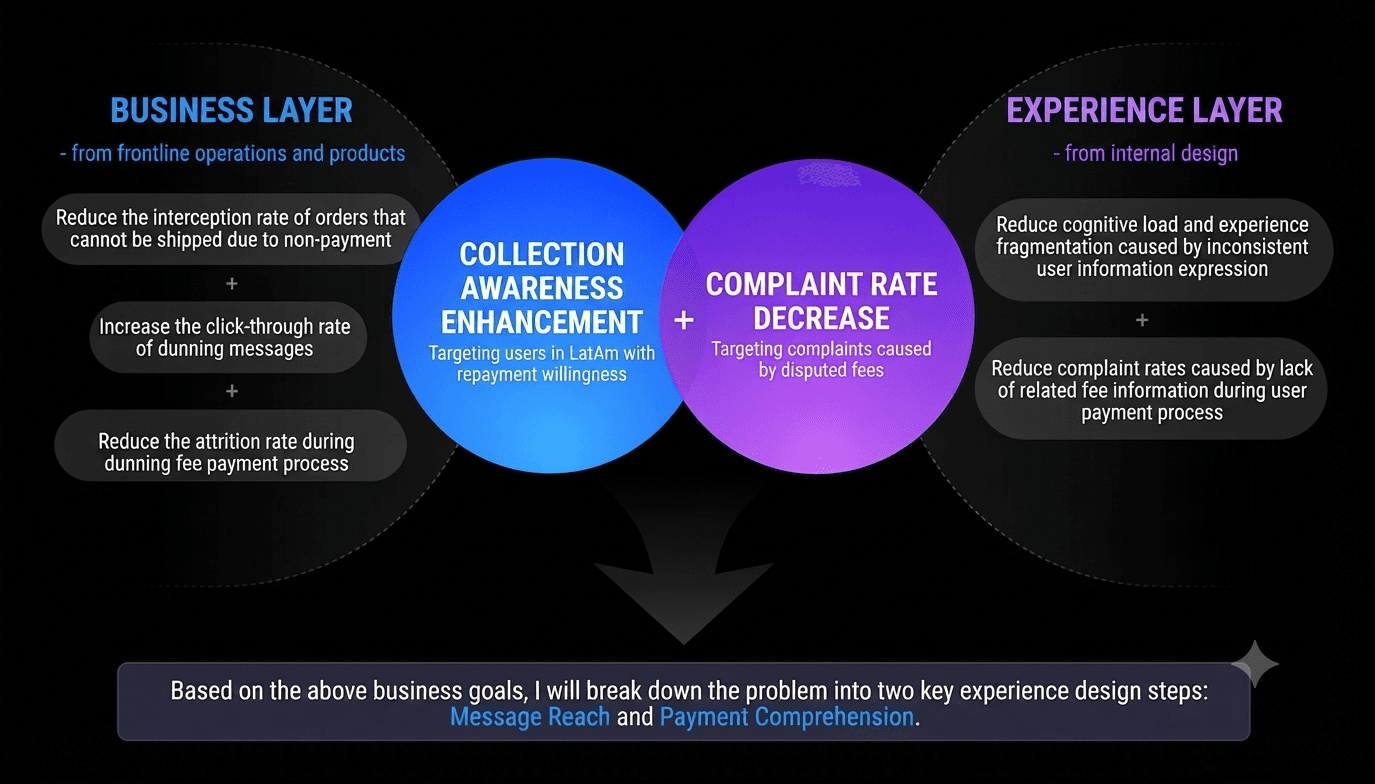
Enhance the visibility of collection information. Improve the visibility and click-through rate of collection message bars.
Reduce order blocking issues. Reduce the number of users whose orders are blocked during the bubble stage due to unresolved collection issues.
Unify message bar design logic. Optimize the message bar display rules on the SA homepage and the travel homepage.
Fix existing experience issues.Resolve issues related to duplicate displays, abnormal redirects, and payment paths.
Design Solution


Added a new semi-floating layer for collection processing
This applies to the following 5 collection scenarios:Previous order unpaid, PDP negotiation fees, Highway toll collection, Cleaning fee collection and Cancellation fee collection Optimized interaction flow: User clicks the collection message bar button → pops up a semi-floating layer → Quick payment → Return to homepage. Payment process: Homepage → Semi-floating layer → Cashier → Payment completed → Return to homepage. The collection message bar disappears automatically after payment is completed.

Optimized Collection Logic for Cancellation Fees
Cancellation fees are categorized into three types:
One Cancellation Fee
Title: You have a cancellation fee to pay: $60. Description: The cancellation fee needs to be paid because the driver has invested time and effort in this trip. Action: Trip Information Button "Pay Online" Clicking this will take you to the payment counter. After payment, return to the homepage; the collection message will disappear.
Two Cancellation Fees (New Semi-Floating Layer)
Title: You have two fees to pay. Description: Displays trip information for two cancellation fees. Interaction Logic: The left side supports single-fee selection.
Since the payment counter only supports single-payment, users need to: Select one fee and click Pay Online, then complete the single payment.
Interface Enhancement: Each cancelled fee amount is highlighted in red. Displays single fee + total fee.
Three Cancellation Fees
Title: You have three cancellation fees to pay. Display: Three trip fees. Interaction Logic: Users can click Pay Online to complete all payments at once.
